
Connect Claude to Your Bitso Account
Let Claude read your Bitso balances, transactions and open orders, and answer questions about the market.
Early accessThe Bitso connector for Claude is in early access. To use it, contact Bitso Customer Support and ask to join. Features and screens may change before general availability.
The Bitso connector lets Claude read your Bitso account on your behalf: balances, transactions and open orders, plus market data for crypto and US stocks. You ask in plain language, for example "What's my Bitso balance?", and Claude fetches the answer from Bitso.
Access to your account is read-only. The connector cannot trade, place orders or move funds.
Soon: one click from the Claude directory
Bitso is coming to the Claude connector directory. Once it's listed, you'll find Bitso under Customize → Connectors → Discover in Claude, click Connect, log in to Bitso and allow access. No URL or client ID needed.
Until then, early access users add Bitso as a custom connector, as described below.
Before you start
- A Bitso account that has early access to the connector.
- A Claude account on any plan. The Free plan allows one custom connector. On Team and Enterprise plans, an organization owner adds the connector.
- Claude Desktop or claude.ai. The steps below use Claude Desktop; the same Customize → Connectors screens exist on claude.ai.
1. Add a custom connector
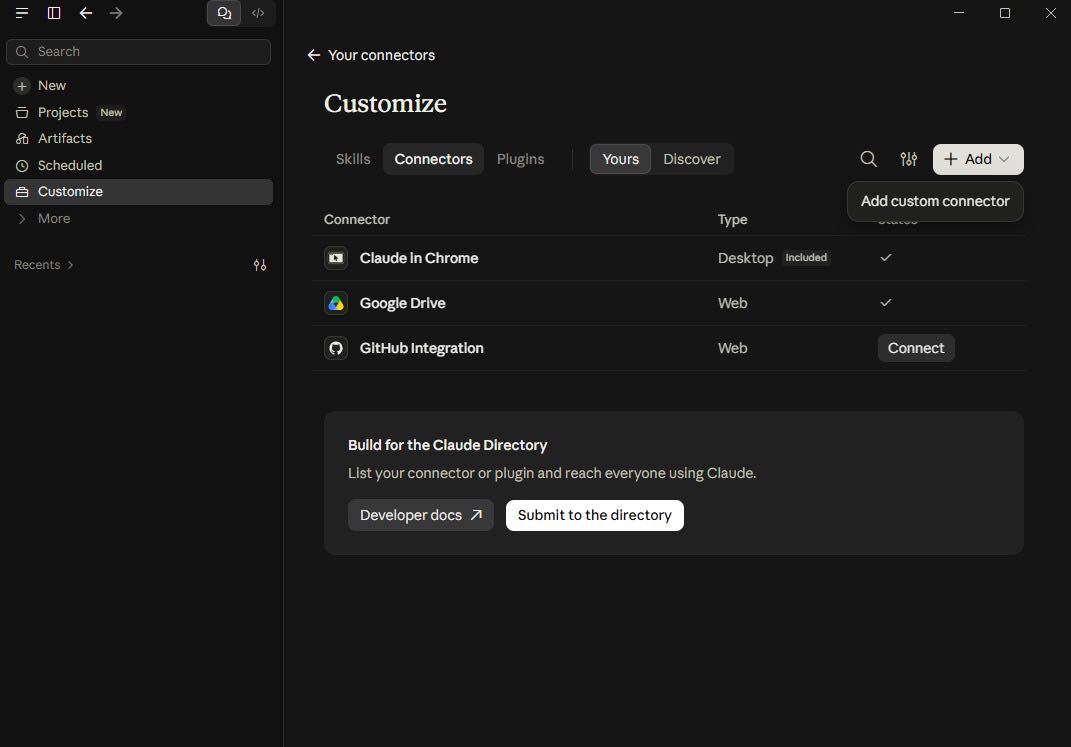
Open Customize → Connectors, click Add, then Add custom connector.
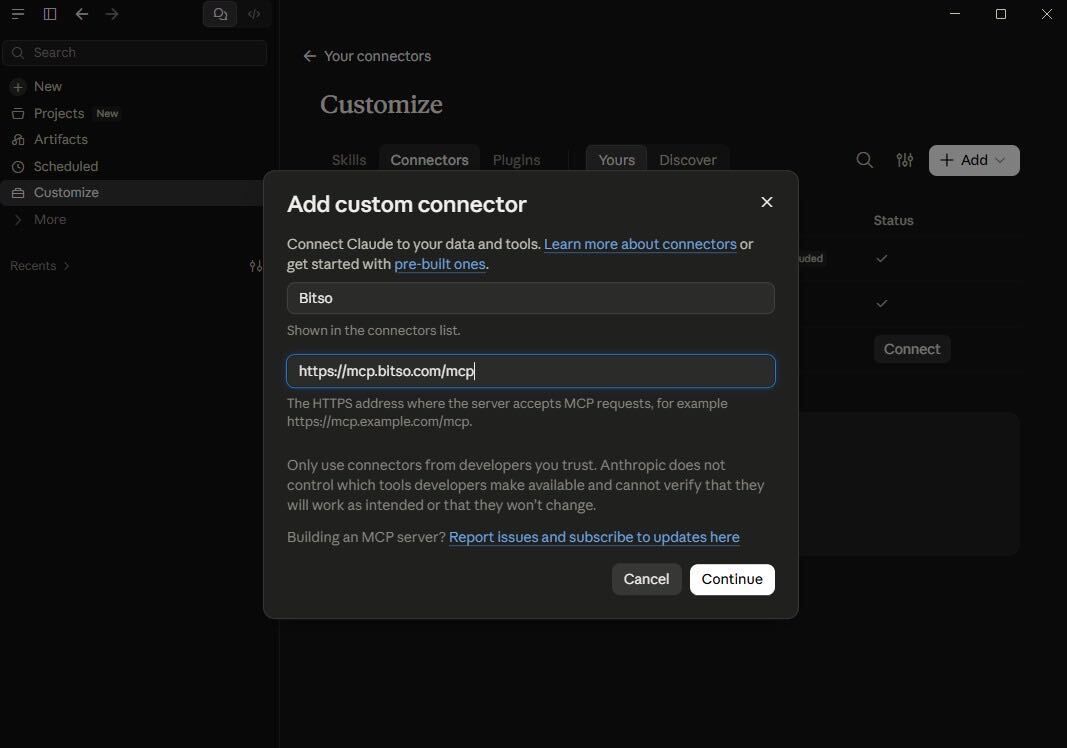
2. Enter a name and the server URL
- Name:
Bitso. It is only shown in your connectors list. - URL:
https://mcp.bitso.com/mcp
Click Continue.
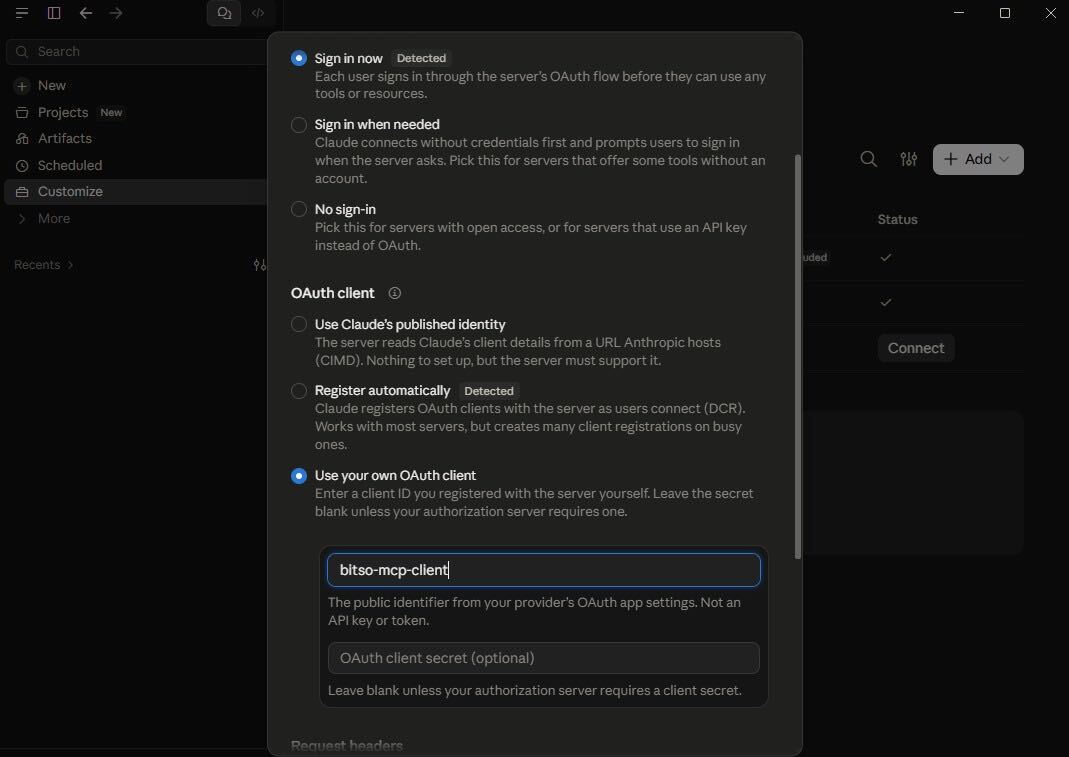
3. Set the OAuth client ID
This is the step most people miss. Claude pre-selects Register automatically, but Bitso does not support automatic client registration, so that option fails. Change it:
- Sign-in: leave Sign in now selected.
- OAuth client: select Use your own OAuth client.
- Client ID:
bitso-mcp-client - Client secret: leave it blank.
Save the connector.
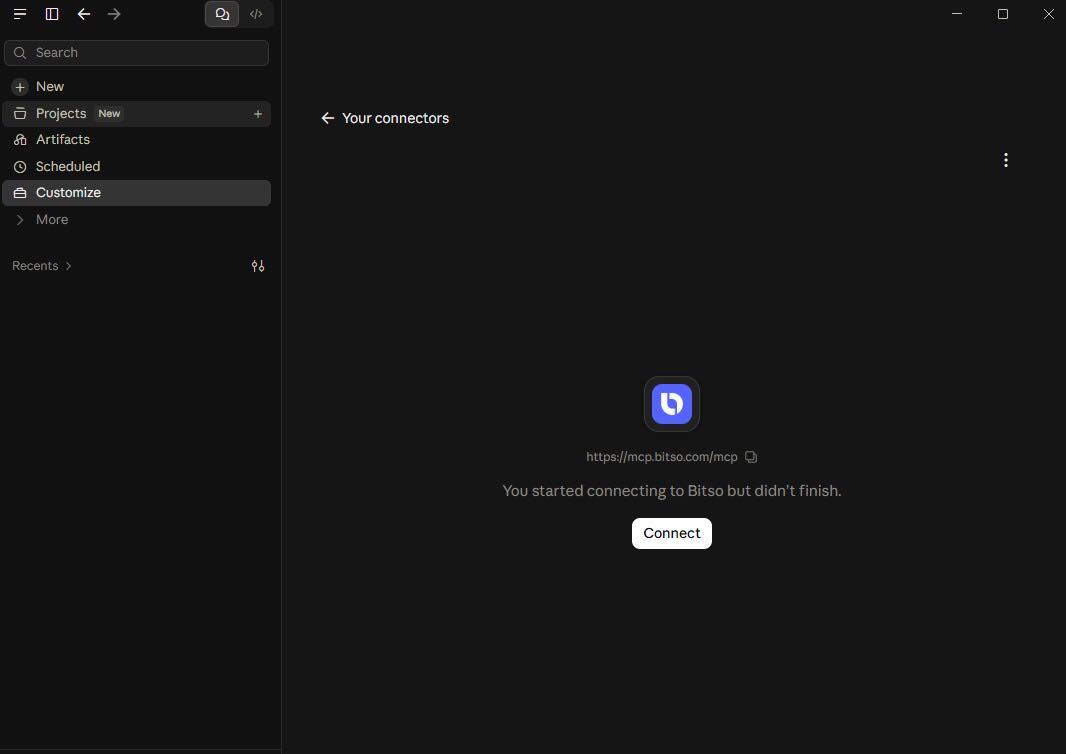
4. Connect
Open the new connector and click Connect. Claude opens your browser.
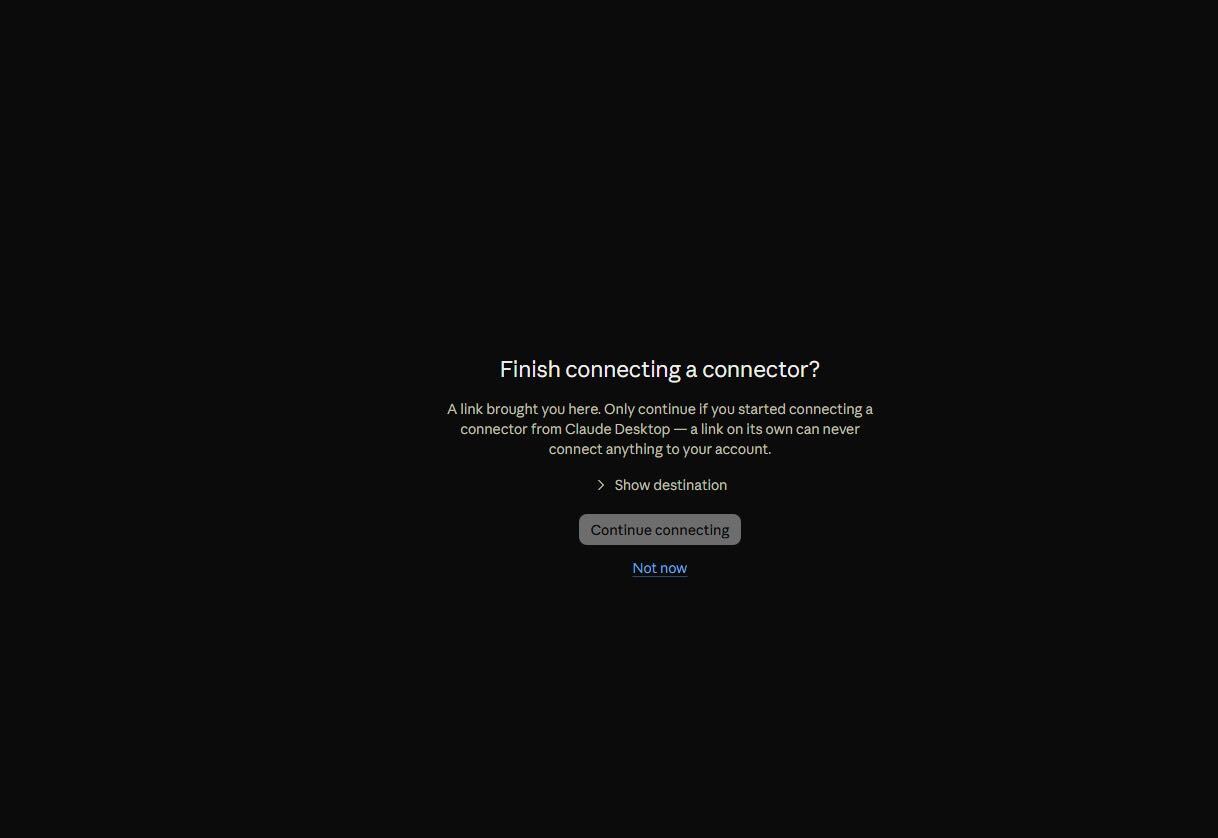
5. Continue in the browser
The browser asks whether to finish connecting a connector. Click Continue connecting.
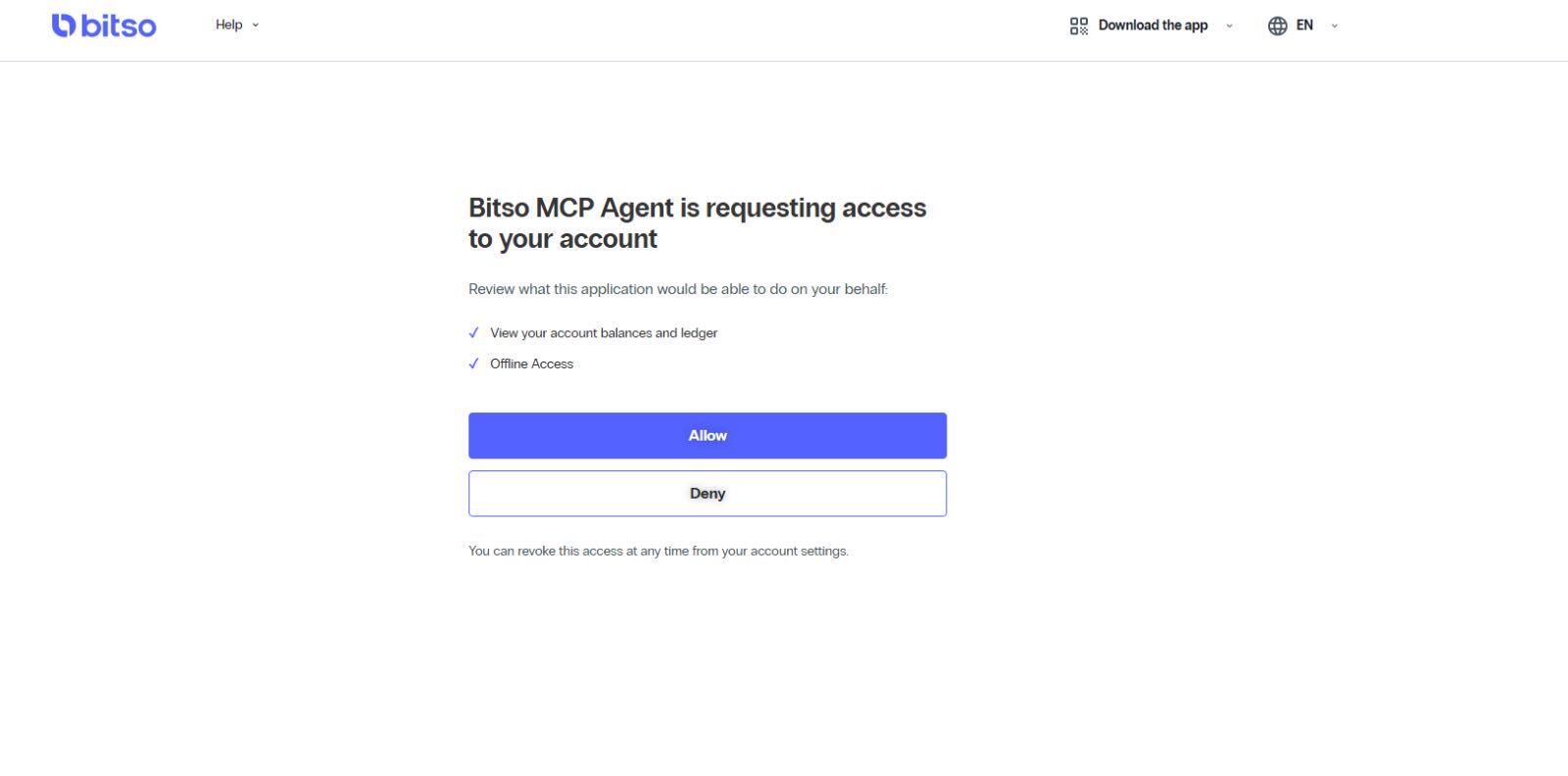
6. Log in to Bitso and allow access
Log in with your Bitso account, review what Claude will be able to do and click Allow.
Back in Claude, the connector shows as connected. Ask "What's my Bitso balance?" to check it works.
What you can ask
Claude picks the right tool itself; you don't need to name it.
| Tool | What it does | Try asking |
|---|---|---|
get_account_balance | Your balances per currency, including your stock positions | "What's my Bitso balance?" |
list_open_orders | Your open orders, optionally for one book | "Do I have any open orders on BTC/MXN?" |
list_transactions | Your deposits, withdrawals, trades, conversions and stock trades, newest first | "Show my last 10 withdrawals" |
list_books | The trading books and their order limits | "Which books can I trade on Bitso?" |
get_market_summary | Last price, high, low and volume over the past 7 days, per book | "How did ETH/MXN move this week?" |
get_ohlc_candles | Price candles for one book | "Give me daily BTC/MXN candles for the last month" |
search_assets | Finds cryptos and stocks by name or symbol | "Find Nvidia" |
get_stock_quote | Last price and daily change of a stock, in USD | "What's AAPL trading at?" |
get_stock_bid_ask | Current bid, ask and spread of a stock | "What's the spread on TSLA?" |
get_stock_stats | Market cap, P/E, dividends, 52-week range and other key stats | "What's NVDA's P/E ratio?" |
get_stock_candles | Price bars for a stock, from 1 hour to 1 year | "Show MSFT's candles for the past week" |
get_stock_price_history | Price line and change over a period | "How much has AMZN moved in 6 months?" |
get_stock_market_status | Whether the US market is open and when the next session starts | "Is the stock market open?" |
list_stock_movers | Today's top gainers, top losers or featured ETFs | "What are today's top stock gainers?" |
submit_feedback | Sends your feedback about the connector to the Bitso team, once per hour | "Tell Bitso the transactions list should show fees" |
Good to know
- Access to your account is read-only. Claude can see your data but cannot trade or move funds.
- The only tool that sends something you wrote to Bitso is
submit_feedback. Your feedback reaches the Bitso team together with your Bitso user ID. - The permissions on the consent screen grow as new tools ship. If a tool asks for a permission you haven't granted, disconnect the connector and connect again to approve it.
Troubleshooting
| Symptom | Cause | Fix |
|---|---|---|
| Connecting fails straight after you save the connector | The OAuth client is still on Register automatically | Edit the connector and set Use your own OAuth client with bitso-mcp-client (step 3) |
| "You started connecting to Bitso but didn't finish" | The browser step was closed before Allow | Click Connect again |
Updated about 15 hours ago