
Managing Business Customers via API
Learn how to automate the registration and management for customers who are a legal entity.
Money Transmitter Customers API
Your users’ ability to transfer USD funds from or to their bank accounts hinges on their registration in our system and compliance with the required KYB verifications. These ensure every user meets legal requirements, resulting in a secure and compliant environment for fund transfers.
Before registration, your new customers must agree to the Terms of Service (ToS). This step is signified by the signed_agreement_id value, which you receive as an acknowledgment of your users’ acceptance.
In addition, you need to collect information about the business and its ownership. See the complete KYB Requirements for details. This comprehensive collection enables us to properly onboard your customers and approve them before initiating any USD transactions. Your diligence in this process ensures them a seamless onboarding journey.
The Money Transmitter Customers (MTC) API is a powerful tool that empowers you to automate customer registration and management, for non-business and business customers. Its CRUD methods ensure quick and reliable operations, enhancing your ability to manage your customers effectively and efficiently.
Prerequisite
When using the MTC API, obtaining the necessary authorization is an essential step. Enable the View account information permission when creating your API key to get the required approval; refer to Figure 1. For details on creating API credentials, refer to the article, Generate Your API Credentials.
This permission not only allows you to retrieve your account details but also acts as an enabler for the MTC API. Failure to set this permission will result in failed API calls. Another checking point is that Bitso grants permission to use the API only to Money Transmitters.
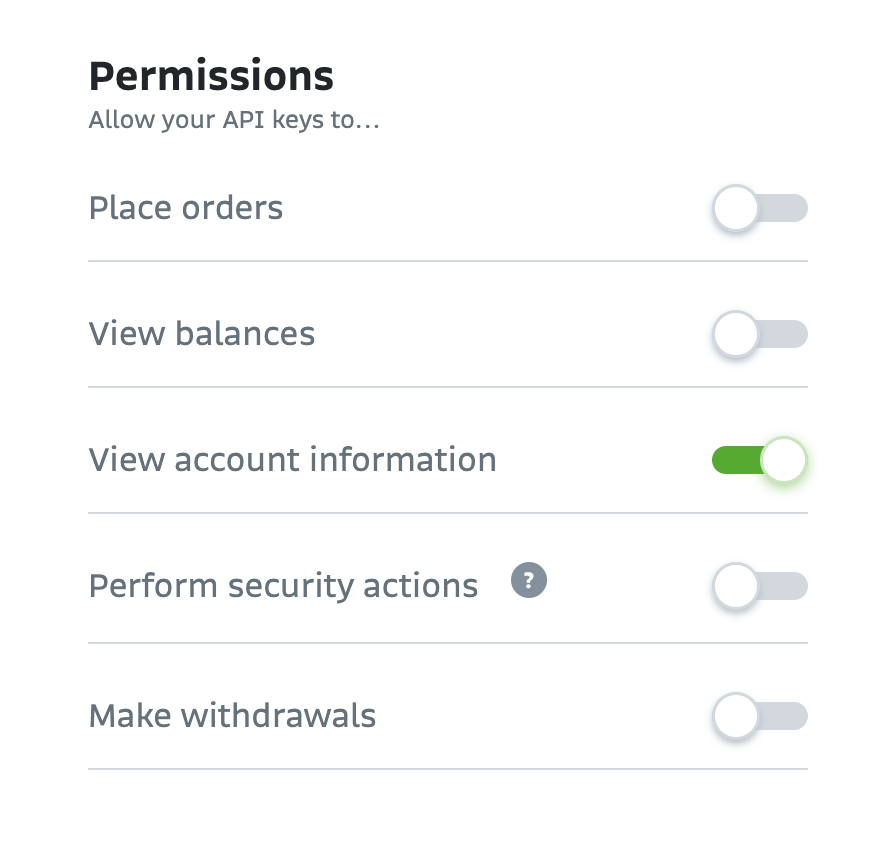
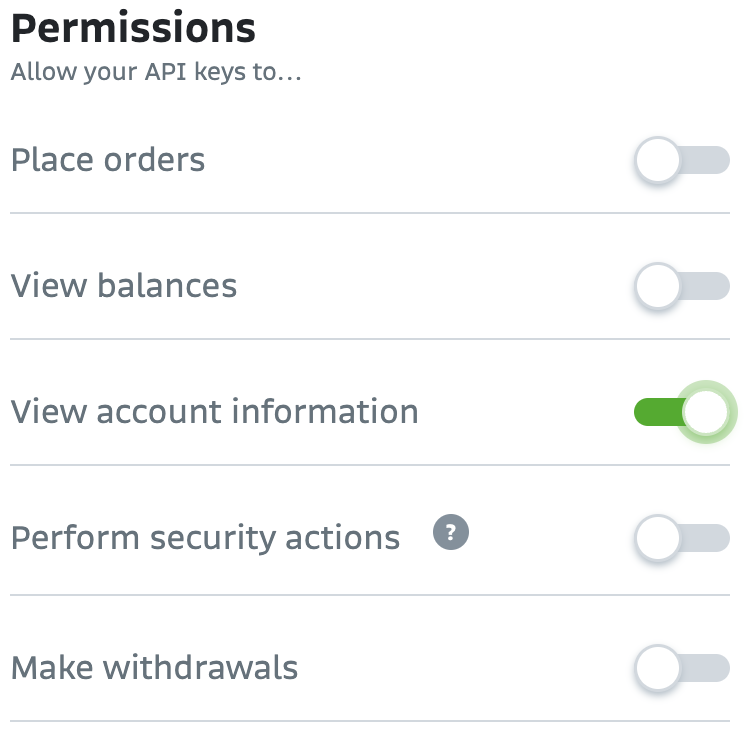
Figure 1. API Key Permissions
KYB Requirements
To transfer funds, customers must successfully submit the information listed below. This information is crucial for the KYB process, a legal requirement for all fund transfers that helps ensure the security and legality of the transactions. Failure to provide this information will result in customer rejection.
- Legal Entity Name
- Registered Address
- Principal Operating Address
- Employer Identification Number (EIN) or Taxpayer Identification Number (TIN) or non-US equivalent identification number
- Business Entity Type: Most businesses are formed as one of the following entity types:
- Sole Proprietorship
- Partnerships
- General Partnerships (GP)
- Limited Partnerships (LP)
- Limited Liability Partnerships (LLP)
- Corporations
- Limited Liability Companies (LLC)
- Trusts
- Cooperatives
- Nonprofit Organizations
- Foundations
- Decentralized Autonomous Organization (DAO)
- Business Formation Documents: Contact your account manager in case you need further information about the acceptable documents according to your entity type.
- Business Ownership Documents: Contact your account manager in case you need further information about the acceptable documents according to your entity type.
- KYC on all Beneficial Owners and/or Control Owners:
- All Ultimate Beneficial Owners (UBO): Individual or entity that has complete ownership and control over the business, institution, or legal entity.
- Control Person (if different from the Ultimate Beneficial Owners): An individual with significant responsibility to control or direct business, typically an executive officer (CEO, CFO, COO, President).
- Proof af Address Documents: Might be required for additional verification. Document confirming the current operating address. Issued in the last 90 days and addressed to the applying entity. PO boxes or virtual addresses are not valid. Accepted documents:
- Bank statement
- Utility bill
- Government-issued letter
- Office lease agreement (must be current, can be older than last 90 days)
- Business Description
- Business Website
- Disclosure of Customer Money Transmission: If moving customer funds, an explanation of compliance screening
- DAO Status
Registration Flow Overview
To register a business customer:
- Request a security token, POST /v3/payments/usd/bridge/security-tokens.
- Request the ToS URL,
POST /v3/payments/usd/bridge/money-transmitters/customers/terms-of-service. - Provide your customer with the ToS URL received.
- Have your customer accept the ToS.
- Upon agreement, the system delivers the
signed_agreement_id, an acknowledgment of your customer's acceptance. Store this ID value because it is required for customer registration. - Create your customer by sending the ToS signature (
signed_agreement_idparameter) and your customer's information,
POST /v3/payments/usd/bridge/money-transmitters/customers/businesses. - Upon successful registration, you receive your customer's ID. Bitso highly recommends storing these IDs, as you must provide them when completing transactions on your customer’s behalf or when querying their KYC status.
For details about this flow, refer to the section, Registration Flow: Business Customers.
After Registration
After creating a customer, you can perform the following operations as needed:
- Retrieve: You can get your customers' information or KYB status by customer ID or list your complete list of customers,
- Update: Updates apply only to modifying a customer's information to fix a KYB issue. You can do so only if the customer is in a non-active state, meaning their KYB process has yet to be approved,
- PUT /v3/payments/usd/bridge/money-transmitters/customers/{customerId}.
Note: When updating customer data, providing the complete data structure is essential. This includes all the parameters used during the initial registration, even if some data has stayed the same. It is not a PATCH operation, and complete data submission ensures the accuracy of the information.\
- PUT /v3/payments/usd/bridge/money-transmitters/customers/{customerId}.
- Delete: Remove a specific customer,
Updated 8 months ago
What’s Next
Refer to the subsequent article to learn about the details of the registration steps previously outlined: