
Fiat Currencies
As in digital assets, the behavior is specific for every fiat currency Bitso supports, so separate explanations are presented for each. The descriptions cover transfer methods other than Bitso Transfer.
Search for your data in the correct account.Ensure you look for your funding destination information in the environment you need: The testing and production environments use different accounts.
Bitso supports deposits in the fiat currencies listed below. For ARS, COP, MXN, and USD, you can receive money from any bank account (yours, a friend's, or a business's account). However, for BRL, you can receive money only from your bank account.
- Argentinian pesos (ARS)
- Brazilian reais (BRL)
- Colombian pesos (COP)
- Mexican pesos (MXN)
- U.S. dollars (USD)*
*Mint USD stablecoins (digital dollars) in 1:1 exchange for U.S. dollars via wire transfer. Documented in a separate section, Digital Dollar Transfers.
Argentinian Pesos (ARS)
Your Bitso account provides you with a CVU (Clave Virtual Uniforme, Uniform Virtual Key). This CVU allows you or third parties to make immediate, zero-cost money transfers into your account from banks and virtual accounts of the Argentinian financial circuit. Virtual accounts are those that belong to fintech services such as virtual wallets, as well as those that do not adhere to a PSP (Payment Service Provider).
The funds are available in your Bitso balance in at most 48 business hours, and Nvio Argentina, Bitso's financial entity responsible for operating withdrawals and deposits, manages the transactions.
To retrieve your CVU data:
- Log into your testing account.
- In your wallet, go to the row showing Argentinian pesos.
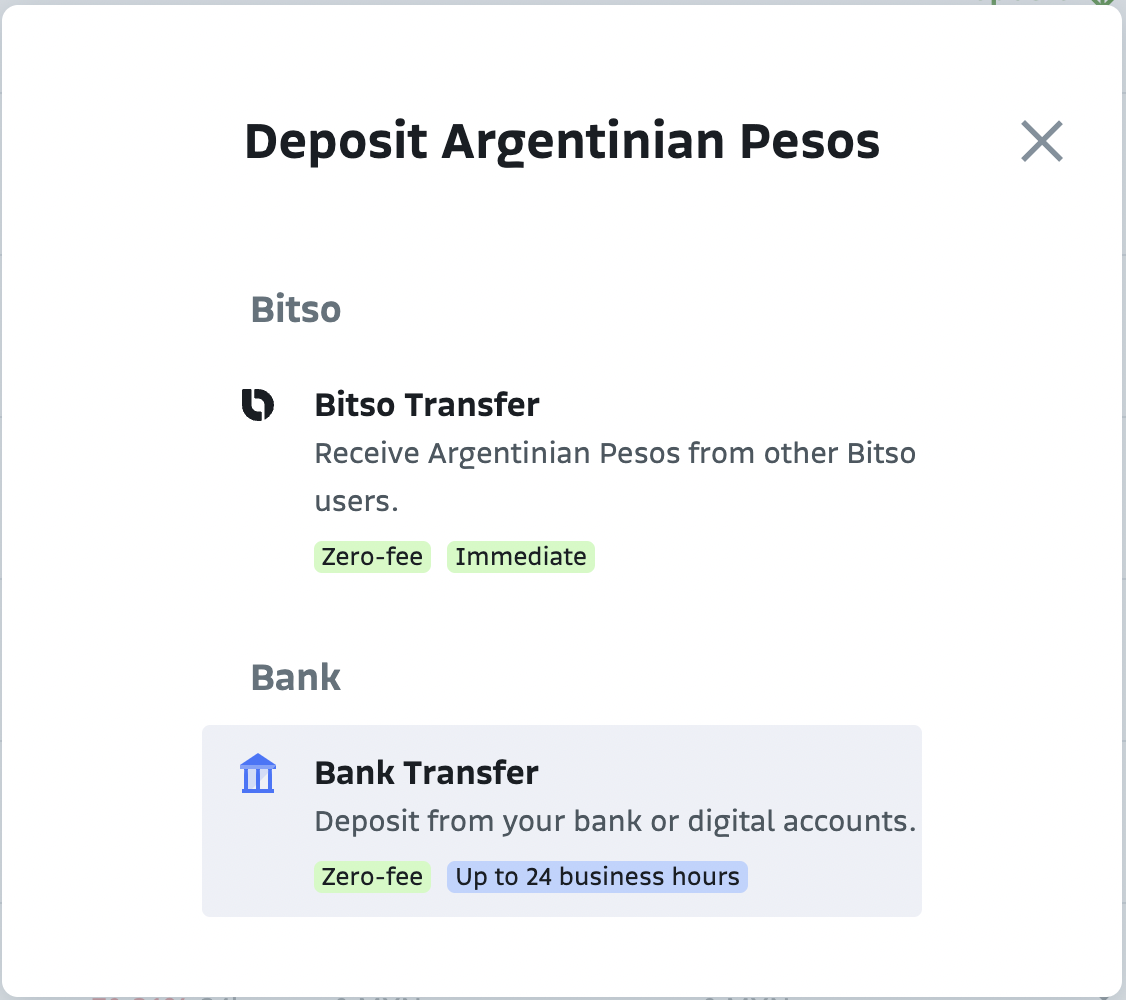
- Click Deposit .
A modal appears, showing the funding options available. - Select Bank Transfer.
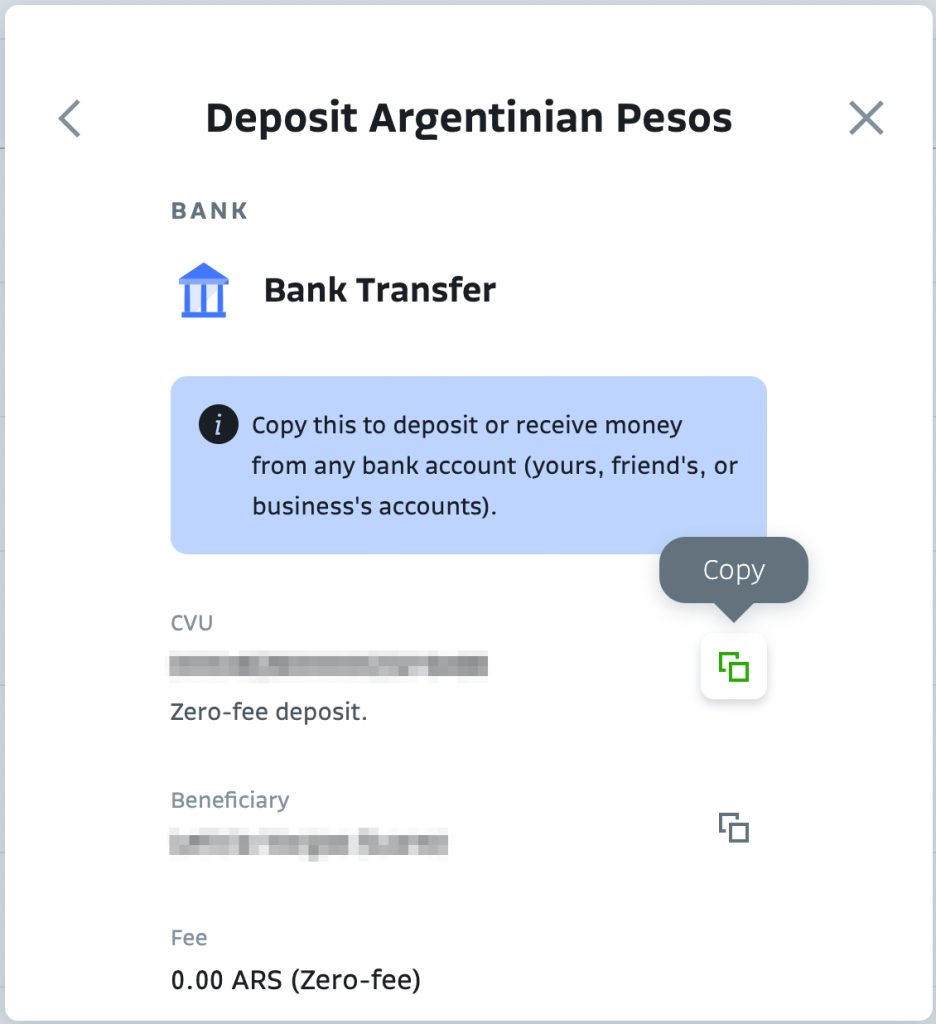
A second modal appears with your CVU information.
- Copy the CVU and beneficiary information from this second modal that also shows data such as transaction fee, settling time, and the funding limit.
Brazilian Reais (BRL)
Your Bitso account provides you with an account of your own to deposit BRL at zero fees from any bank account via Pix, the real-time payments rail created and operated by Brazil’s Central Bank. You can receive deposits from your bank account but also from a partner’s or a customer’s bank account.
Pix incorporated innovations to digitize, remove red tape, and give dynamics to the wire transfers and payments market. It enables direct interbank transfers between accounts held by persons, companies, or government entities, decreasing the number of intermediaries and operating costs. It works 24/7, 365 days a year, and settles transactions within 10 seconds.
Another essential change introduced is the adoption of account identification keys that use people’s regular information, such as mobile phone numbers, taxpayer numbers, and email addresses. To make a deposit, your payer only needs to identify the beneficiary through the key and confirm the transaction.
You can register up to five keys in your Bitso account of the following types:
- Taxpayer identification number
- Phone number
- Email address
- A random string of letters and numbers that your account generates
With Pix, payers can send you funds using either your Pix key or your account information.
To retrieve your Pix key:|
- Log into your account.
- In your wallet, go to the row showing Brazilian reais.
- Click Deposit.
A modal appears, showing the funding options available.
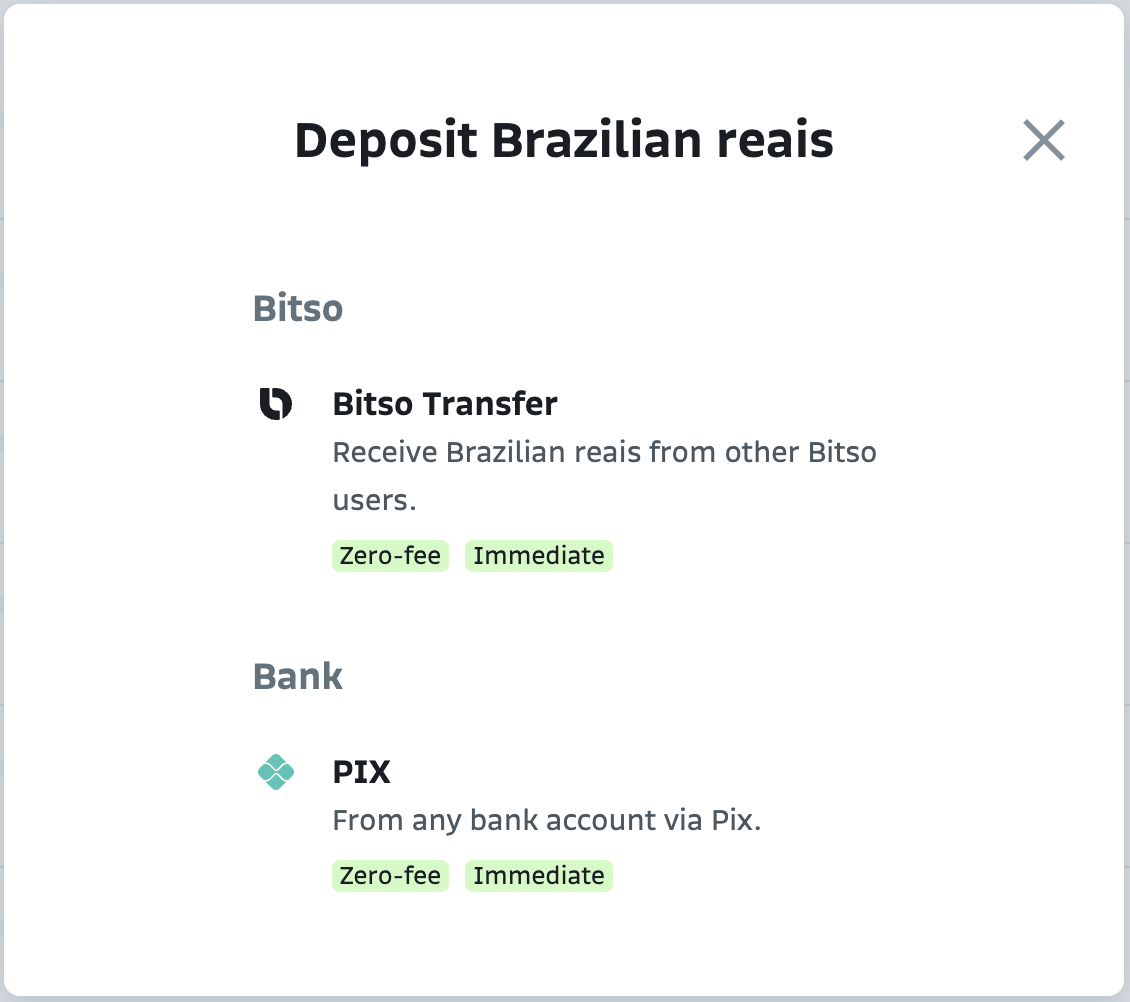
- Select the Pix method.
A modal appears, showing Pix key and Account details.
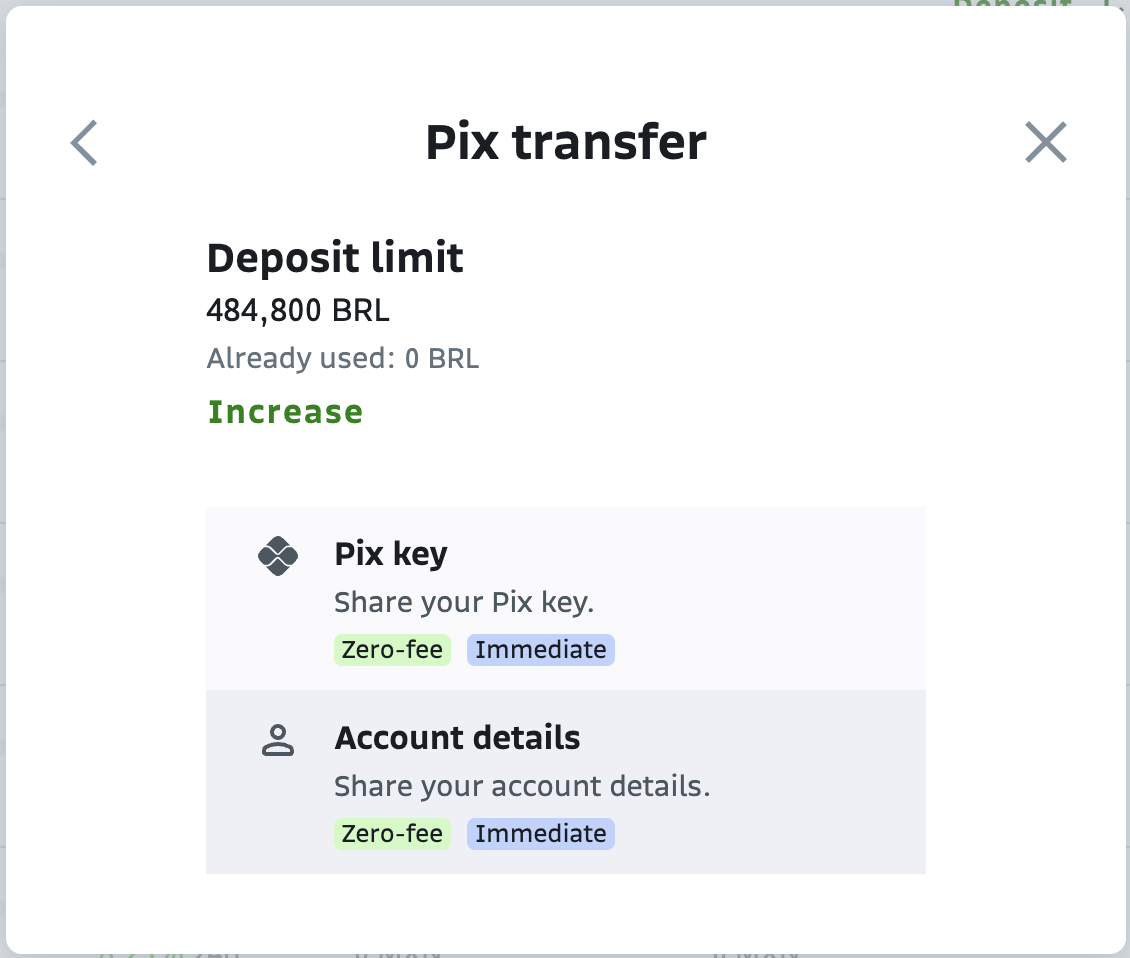
- Select Pix key.
A page showing your list of keys appears. - Select the key you want to use.
- Click the kebab menu icon to copy your key.
If you prefer to use your account data instead of a Pix key as your funding address, select Account details in Step 5 of the explained flow and copy the data provided.
Colombian Pesos (COP)
Your Bitso account integrates the instant e-transfer system PSE (Pagos Seguros en Línea, Online Safe Payments) as the payment method, and it uses a third-party payment processing company to complete these PSE incoming payments. Nvio Colombia, Bitso's financial entity responsible for operating withdrawals and deposits, oversees the transactions.
You don't need to search for funding destination data when depositing COP. Unlike other fiat currencies, you can complete the deposit from the Bitso app, which directs you to the website of Bitso's payment service provider to initiate the bank transfer. This service then connects you to the bank of your choice. You have 24 hours to complete your deposit at this website. After completing the deposit, your funds will be available in your Bitso account in at most 60 minutes.
Third-party deposits are possible via API. For details about these transactions, contact our Customer Service specialists at [email protected].
Mexican Pesos (MXN)
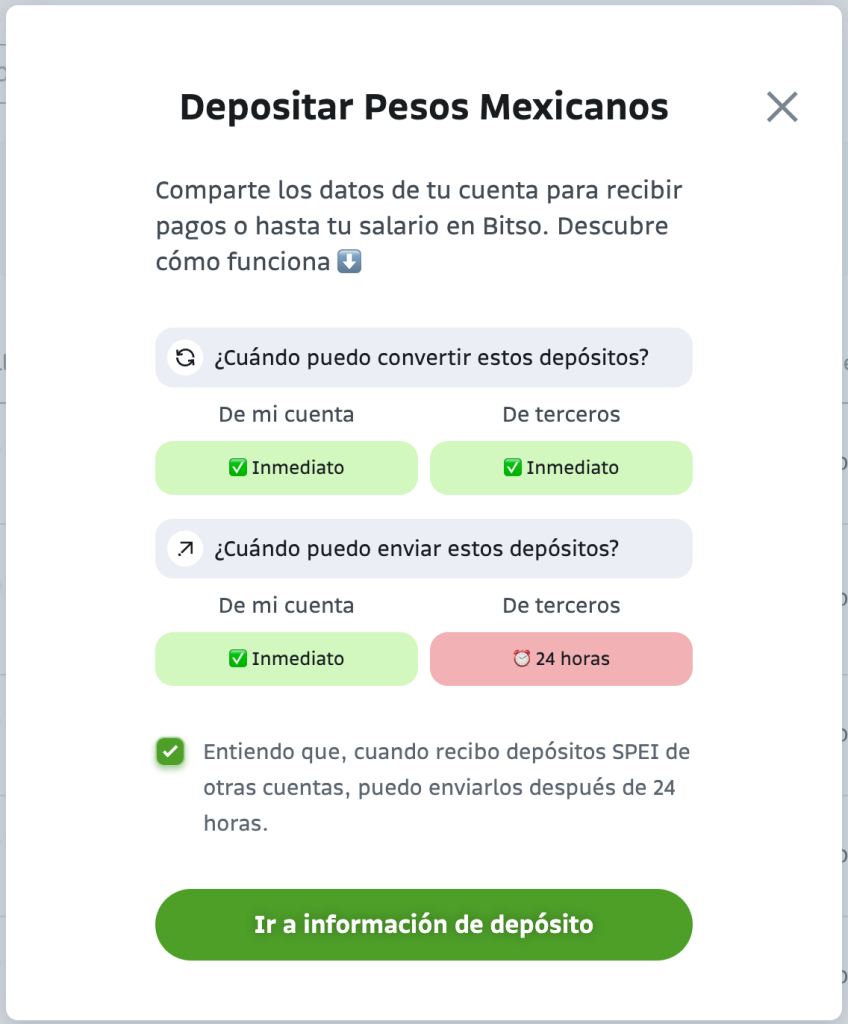
Your Bitso account integrates with Mexico's domestic inter-bank electronic payments system, SPEI® (Sistema de Pagos Electrónicos Interbancarios). Funds can come from an account of yours or a third-party account. Regardless of the source account, you can convert these funds immediately. However, when transferring these funds, you must wait 24 hours if the source account is of a third party. Otherwise, you can move them immediately.
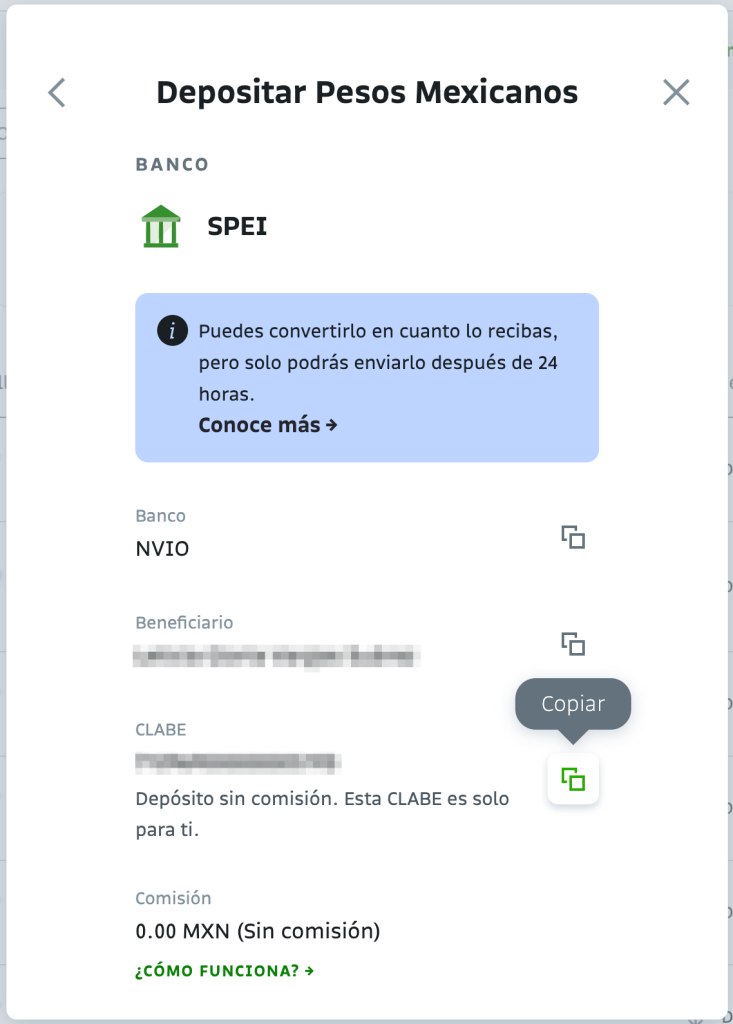
Bitso provides you with a unique 18-digit bank code known as CLABE (Clave Bancaria Estandarizada), a banking standard for numbering bank accounts in Mexico. In this case, the bank is Nvio Pagos México, Bitso's financial entity responsible for operating withdrawals and deposits.
To retrieve your SPEI data:
- Log into your testing account.
- In your wallet, go to the row showing Mexican pesos.
- Click Deposit.
A modal appears, showing the funding options available. - Select SPEI.
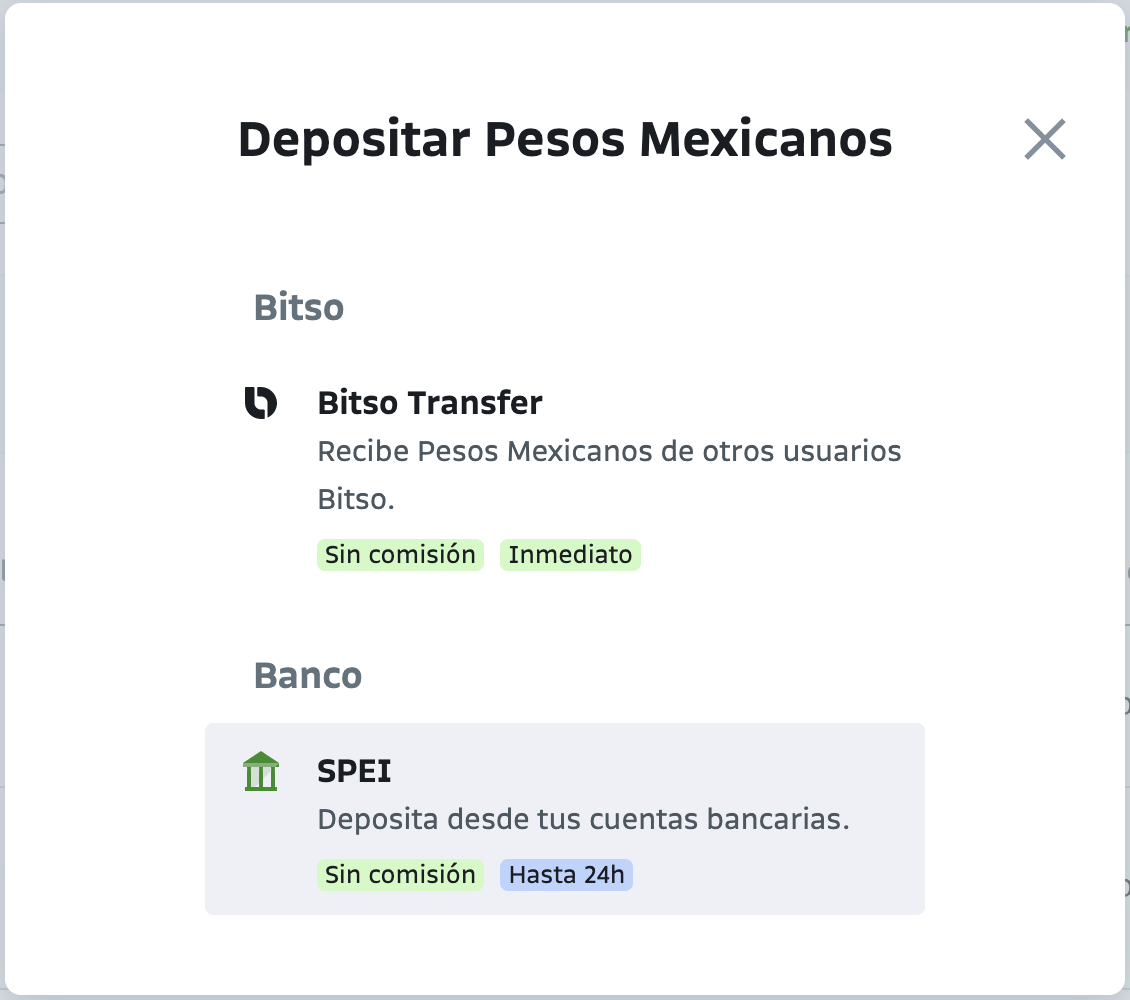
A second modal appears with information about when you can convert or transfer the funds.
- Check the box to indicate you understand the conditions. Check marking prevents the modal from reappearing. Click the button Ir a información de depósito.
A third modal appears.
- Copy the SPEI® information from this third modal that also shows data such as the transaction fee, the settling time, and the funding limit.
Updated about 1 year ago